
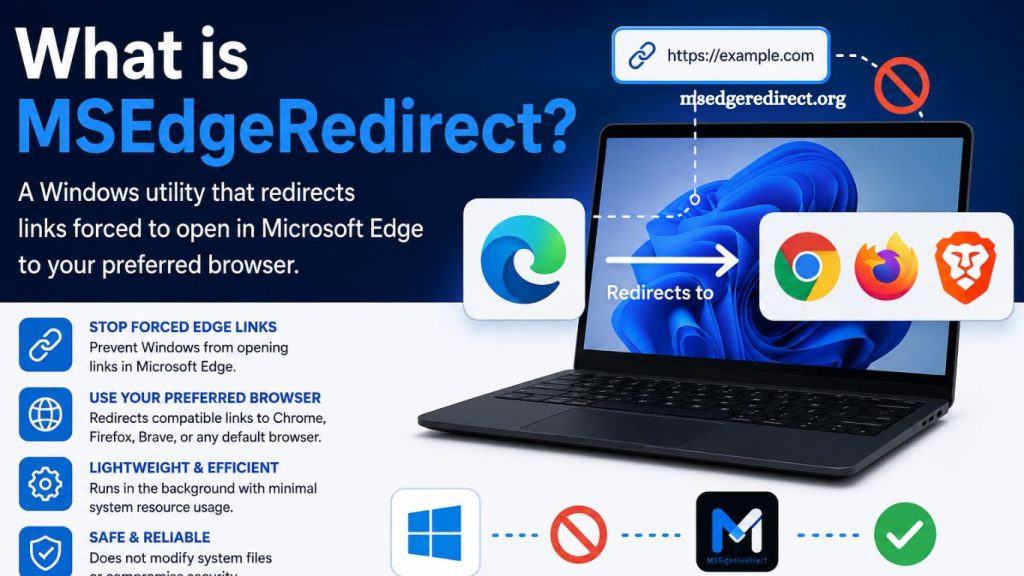
MSEdgeRedirect is a lightweight Windows utility designed to improve how links open across the operating system. The tool redirects web links that normally open in Microsoft Edge, allowing users to open them in their preferred browser. Many Windows users seek greater control over their browsing experience, and this software offers a practical solution without modifying system files or disrupting built-in Windows features.
Modern Windows versions often integrate Microsoft Edge deeply into system components such as search, widgets, news feeds, and help panels. This integration means certain links automatically open in Edge regardless of the default browser setting. MSEdgeRedirect addresses this limitation by intercepting those links and redirecting them to the user’s chosen browser.
Why MSEdgeRedirect Exists
Windows 10 and Windows 11 introduced stronger ties between the operating system and Microsoft Edge. Even when users set Chrome, Firefox, Brave, or another browser as the default, some system links still launch Edge. This behavior frustrates users who prefer a consistent browsing environment.
MSEdgeRedirect was developed to solve this issue. Instead of replacing system components or disabling Edge, it works alongside Windows and redirects specific link types. This approach keeps the system stable while giving users more control over their web experience.
Read More: What is MSEdgeRedirect?
How MSEdgeRedirect Works
MSEdgeRedirect operates by monitoring link calls made by Windows components. When the system attempts to force a link into Microsoft Edge, the tool captures the request and redirects it to the user’s default browser.
The software focuses on compatibility and stability. It does not remove Edge or alter system permissions. Instead, it acts as a middleware layer between Windows and the browser launch process.
Key technical behavior includes:
- Intercepting Edge-specific protocol links
- Redirecting system search and widget results
- Respecting user-defined default browser settings
- Running quietly in the background with minimal resource usage
This design ensures smooth operation without disrupting Windows updates or security features.
Key Features of MSEdgeRedirect
MSEdgeRedirect includes several features that make it popular among advanced Windows users and privacy-conscious individuals.
System Link Redirection
The primary feature ensures that links opened from Windows Search, widgets, and news feeds open in the preferred browser instead of Microsoft Edge.
Lightweight Performance
The tool is designed to use minimal system resources. It runs efficiently in the background without slowing down startup time or everyday tasks.
Compatibility with Windows Updates
MSEdgeRedirect is frequently updated to remain compatible with new Windows builds. This ensures stability even after major system updates.
Flexible Configuration
Users can customize how redirection behaves. Options allow control over which system features are redirected and how aggressively the tool applies changes.
Open-Source Transparency
The project is open-source, which allows developers and users to inspect the code. This improves trust and encourages community contributions.
Benefits of Using MSEdgeRedirect
Users install MSEdgeRedirect for several practical reasons. The benefits extend beyond convenience and include productivity and user control improvements.
Improved Browser Choice Freedom
Windows sometimes overrides default browser settings. MSEdgeRedirect restores full control by ensuring all links respect user preferences.
Consistent Browsing Experience
Users no longer face random switches to Microsoft Edge when opening system links. This creates a unified and predictable browsing environment.
Reduced Frustration
Frequent interruptions caused by forced Edge redirects can reduce productivity. The tool eliminates this issue by maintaining browser consistency.
Better Workflow Efficiency
Professionals who rely on specific browsers for extensions, bookmarks, and workflows benefit from uninterrupted access to their tools.
Is MSEdgeRedirect Safe?
MSEdgeRedirect is generally considered safe when downloaded from official or trusted sources. The tool does not modify core system files or turn off security features. Instead, it redirects link behavior at the application level.
Security-conscious users should ensure they download the software from its official repository to avoid modified or malicious versions. As with any system utility, keeping the tool up to date is important for compatibility and security.
Installation Overview
Installing MSEdgeRedirect is straightforward and does not require advanced technical knowledge. The process typically involves downloading the installer, running setup, and selecting preferred configuration options.
Basic installation steps include:
- Download the latest release from a trusted source
- Run the installer with administrative permissions
- Choose redirection preferences during setup
- Launch the application and allow it to run in the background
Once installed, the tool begins working immediately, without requiring a system restart in most cases.
System Requirements
MSEdgeRedirect is designed for modern Windows operating systems. It typically supports:
- Windows 10 (various builds)
- Windows 11 (all major versions)
- x64 and ARM-based systems (depending on release version)
The software has minimal hardware requirements due to its lightweight design.
Common Use Cases
MSEdgeRedirect is used in several everyday scenarios where Windows forces Edge usage.
Windows Search Results
Search results from the Windows taskbar often open in Edge. MSEdgeRedirect ensures these open in the preferred browser.
Widgets and News Panels
Windows widgets frequently use Edge for web content. The tool redirects these links seamlessly.
Help and System Links
Some help documentation links embedded in Windows also trigger Edge. MSEdgeRedirect reroutes them effectively.
Limitations of MSEdgeRedirect
While the tool is powerful, it does have some limitations.
System updates may occasionally change how Windows handles links, requiring updates to MSEdgeRedirect. Certain deeply integrated features may still open Edge depending on system restrictions. The tool also requires background execution to function correctly.
Alternatives to MSEdgeRedirect
Users seeking similar functionality may consider other tools or methods, although few provide the same level of integration. Some alternatives involve browser policies or system-level tweaks, but these often require more technical expertise or reduce system stability.
MSEdgeRedirect remains one of the most user-friendly and stable solutions available.
Future of Browser Redirection Tools
As Windows continues evolving, integration between operating system services and Edge may increase. Tools like MSEdgeRedirect will likely continue adapting to maintain user choice in browser selection.
Ongoing development and community support will play a major role in ensuring long-term compatibility.
Frequently Asked Questions
What is MSEdgeRedirect?
MSEdgeRedirect is a Windows utility that redirects links forced to open in Microsoft Edge to your default browser.
Is MSEdgeRedirect safe to use?
Yes, it is generally safe when downloaded from the official source and does not modify core system files.
Does MSEdgeRedirect remove Microsoft Edge?
No, it does not remove Edge. It only redirects links to another browser.
Which Windows versions support MSEdgeRedirect?
It supports Windows 10 and Windows 11, depending on the latest updates and compatibility.
Does MSEdgeRedirect affect system performance?
No, it is lightweight and runs in the background with minimal resource usage.
Can I choose which browser to use with MSEdgeRedirect?
Yes, it respects your default browser settings and redirects links accordingly.
Is MSEdgeRedirect open-source?
Yes, it is open-source, allowing users to review and contribute to its development.
Conclusion
MSEdgeRedirect gives Windows users greater control over how system links open by redirecting forced Microsoft Edge launches to the preferred browser. It improves browsing consistency, supports productivity, and maintains a lightweight, stable performance. The tool remains a practical solution for users who value flexibility and a unified web experience across Windows 10 and Windows 11.