
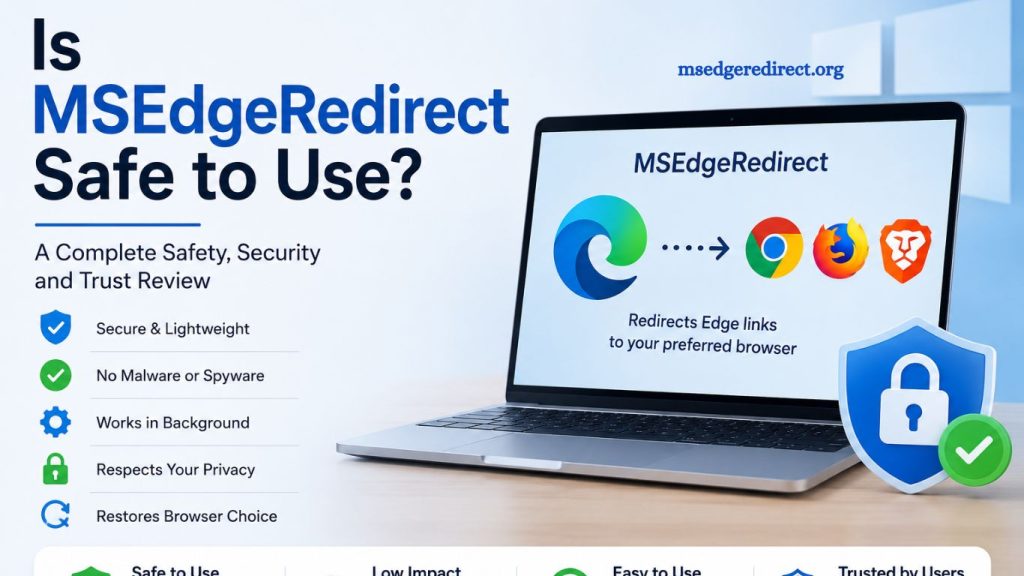
The growing restrictions in modern Windows systems have increased user interest in tools that improve browser flexibility. MSEdgeRedirect is one such utility that redirects forced Microsoft Edge links to a user-selected browser. Many users install this tool to regain control over default browsing behavior in Windows 10 and Windows 11 environments. Security concerns often arise when third-party utilities interact with system-level processes, making safety evaluation essential before installation.
This article provides a detailed analysis of its safety, functionality, potential risks, performance impact, and overall reliability. The goal is to help users make an informed decision based on technical clarity and real-world usage considerations.
What Is MSEdgeRedirect?
MSEdgeRedirect operates as a background utility that intercepts Microsoft Edge protocol links. Windows sometimes forces specific web links, such as system searches or widgets, to open in Microsoft Edge regardless of user preference. This tool reroutes those links to a browser chosen by the user, such as Chrome, Firefox, or Brave.
The software does not replace Edge or remove it from the system. Instead, it functions as a lightweight redirection layer between Windows services and the browser environment. This design helps maintain system stability while offering flexibility in browsing preferences.
Read More: Benefits of Using MSEdgeRedirect for Better Browsing Control
Core Purpose and Functionality
Modern Windows versions include built-in integrations that favor Microsoft Edge for certain actions. These include:
- Windows search results
- News and widgets panel links
- Cortana or system-based queries
- Outlook or Microsoft application web links
MSEdgeRedirect modifies how these links are processed. The tool intercepts the link request and reroutes it to the user’s default browser.
This mechanism improves user control without requiring deep system modifications. The utility operates silently in the background after installation and configuration.
Is MSEdgeRedirect Safe to Use?
Safety evaluation depends on several technical and usage-based factors. The tool is generally considered safe when downloaded from its official repository or trusted sources. It does not contain built-in adware or spyware based on public user reports and community feedback.
Several aspects contribute to its safety profile:
Open Behavior and Transparency
MSEdgeRedirect is widely recognized in the Windows customization community. Its behavior is straightforward, focusing only on redirecting URLs rather than altering core system files. This limited scope reduces the likelihood of system instability or hidden malicious activity.
Minimal System Permissions
The software does not require deep administrative access beyond initial installation. It avoids modifying Windows kernel components or critical system drivers. This limitation reduces exposure to high-risk vulnerabilities.
No Direct Data Collection
No strong evidence suggests that the tool collects or transmits personal user data. Its functionality centers on link interception rather than analytics or tracking. Users still benefit from standard security practices such as verifying installation sources.
Community Trust and Usage
The utility has gained adoption among users seeking browser freedom on Windows. Community discussions generally classify it as safe when used correctly and kept up to date. Trust increases when users download it from verified releases rather than third-party modified versions.
Potential Risks and Limitations
Despite its generally safe reputation, certain risks and limitations exist. Understanding them improves responsible usage.
System Update Conflicts
Windows updates may occasionally modify link handling behavior. Such changes can reduce the effectiveness of MSEdgeRedirect or temporarily break redirection functionality. Users may need to update the tool after major system patches.
False Security Perception
Minimal permissions do not guarantee absolute safety. Any system-level utility carries inherent risk if tampered versions are installed. Downloading from unofficial sources increases exposure to malware disguised as legitimate software.
Compatibility Issues
Some Windows features are tightly integrated with Microsoft Edge. Redirecting these links may occasionally cause unexpected behavior in apps relying on Edge WebView components. Users running enterprise or corporate systems should test compatibility before widespread deployment.
Background Process Dependency
The tool runs continuously in the background to maintain link interception. While resource usage is low, users with strict performance optimization requirements may prefer native browser configuration methods instead.
Performance Impact
MSEdgeRedirect is designed to remain lightweight. System resource consumption is minimal, with negligible CPU and memory usage under normal conditions. Most systems will not notice performance differences during daily operations.
The redirection process executes quickly, ensuring that link-opening delays remain almost unnoticeable. Performance efficiency remains one of the key reasons for its popularity among Windows power users.
Installation and Usage Considerations
Proper installation plays a significant role in maintaining safety and stability. Users should follow best practices:
- Download only from official or trusted repositories
- Verify file integrity when possible
- Avoid modified or cracked versions
- Keep the tool updated regularly
- Configure browser preferences correctly before activation
MSEdgeRedirect typically includes a simple setup process. After installation, users select their preferred browser, and the tool handles redirection automatically.
Who Should Use MSEdgeRedirect?
The utility is most beneficial for users who:
- Prefer non-Microsoft browsers as the default
- Want consistent link handling across Windows apps
- Use Windows 10 or Windows 11 with Edge-enforced links
- Value customization and system control
Enterprise environments may require additional evaluation before deployment due to policy restrictions and standardized IT configurations.
Security Best Practices
Safe usage depends on responsible handling. Users can maintain security by following key practices:
- Install only verified versions
- Keep antivirus software active
- Monitor system behavior after installation
- Update Windows and the tool regularly
- Avoid downloading from unknown websites
These practices ensure that the tool remains safe within normal operational boundaries.
Advantages of Using MSEdgeRedirect
Several benefits contribute to its adoption:
- Restores browser choice freedom
- Works silently without user interruption
- Provides consistent link handling
- Requires minimal system resources
- Avoids invasive system modifications
These advantages make it attractive to users frustrated by forced browser redirection on Windows.
Limitations to Consider
Balanced evaluation requires acknowledgment of drawbacks:
- Dependent on Windows system behavior
- Requires maintenance after updates
- Not officially supported by Microsoft
- Limited functionality beyond redirection
Users should weigh these limitations against the convenience it provides.
Frequently Asked Questions
What is MSEdgeRedirect used for?
It redirects Windows system links that normally open in Microsoft Edge to a user-selected default browser, such as Chrome or Firefox.
Is MSEdgeRedirect safe to install?
Yes, it is generally safe when downloaded from official or trusted sources and used without modified versions.
Does MSEdgeRedirect contain malware or spyware?
No verified reports indicate the presence of malware or spyware in the official version of MSEdgeRedirect.
Can MSEdgeRedirect affect system performance?
The tool has minimal resource usage and typically does not impact system performance.
Does Microsoft officially support MSEdgeRedirect?
No, it is a third-party utility and not officially supported by Microsoft.
Does MSEdgeRedirect require admin access?
It requires limited permissions during installation but does not modify system files or kernel components deeply.
What are the main risks of using MSEdgeRedirect?
Risks include downloading from unsafe sources, potential compatibility issues after Windows updates, and reliance on background processes.
Conclusion
MSEdgeRedirect offers a practical solution for users who want full control over how Windows opens web links. The tool remains lightweight, focused, and generally safe when installed from trusted sources. Its behavior does not indicate malicious activity, and it avoids deep system modifications, which helps reduce security concerns.