
MSEdgeRedirect is a popular utility that redirects links and protocols that normally open in Microsoft Edge to a user-selected browser. Many users install it to regain control over default browsing behavior in Windows. A common concern after installation is whether MSEdgeRedirect continues running in the background and consuming system resources.
Understanding its runtime behavior helps users decide if the tool fits their performance expectations, privacy needs, and system configuration. This article explains how MSEdgeRedirect operates, whether it runs continuously, and how it affects system performance.
What Is MSEdgeRedirect?
MSEdgeRedirect is a lightweight Windows utility created to override Microsoft Edge link-handling behavior. Windows often forces certain links—such as those from widgets, search, or system apps—to open in Edge regardless of the default browser settings. This tool intercepts those requests and redirects them to the user’s chosen browser.
Instead of modifying system files or registry entries heavily, MSEdgeRedirect works by acting as an intermediary process. It captures link requests and passes them to the preferred browser. This approach makes it more stable and less invasive compared to older redirection tools.
Read More: MSEdgeRedirect Ease of Use for Beginners
Core Functionality of MSEdgeRedirect
MSEdgeRedirect performs a simple but important task: redirecting forced Edge links. Its functionality includes:
- Capturing Microsoft Edge protocol calls
- Redirecting system-generated links to the default browser
- Supporting multiple redirection modes
- Allowing configuration through a lightweight interface
Because Windows frequently pushes certain URLs through Edge, this tool acts as a filter layer between the operating system and the browser environment.
Does MSEdgeRedirect Run in the Background?
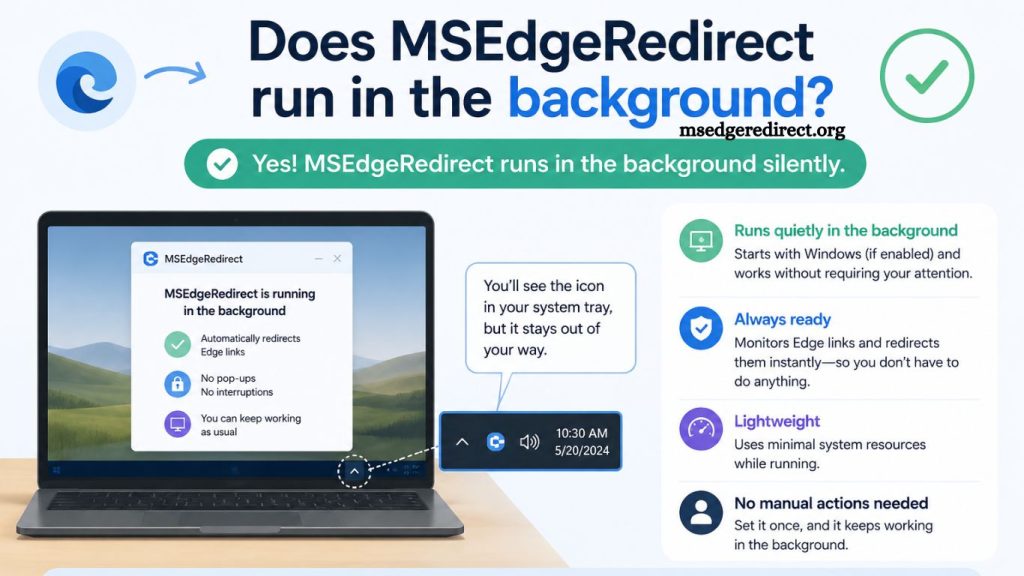
Yes, MSEdgeRedirect runs in the background, but its behavior is minimal and event-driven rather than resource-heavy.
How Background Operation Works
MSEdgeRedirect typically runs as a small background process or service depending on the installation method. Instead of constantly using CPU or memory, it waits for system events. When a link trigger occurs—such as clicking a widget result or a system search link—it briefly activates to redirect the request.
After completing the task, the process returns to an idle state. This design ensures that the application does not continuously consume system resources.
Background Process Type
MSEdgeRedirect does not function like traditional heavy background applications such as antivirus software or cloud sync tools. Instead, it behaves more like a lightweight handler.
Two common modes define its background behavior:
User Session Process
In this mode, MSEdgeRedirect runs only when a user is logged in. It remains idle most of the time and activates only when a redirect event occurs.
Service Mode (Optional Configuration)
Some installations allow it to run as a Windows service. In this setup, it starts with the system and remains available for system-wide link interception. Even in this mode, CPU usage remains extremely low because it does not perform continuous processing.
System Resource Usage
MSEdgeRedirect is designed for efficiency. Its background footprint is minimal:
- CPU Usage: Near zero during idle state
- Memory Usage: Very low, typically under a few tens of MB
- Disk Activity: Minimal after installation
- Network Usage: None under normal operation
Since it only activates when required, users generally do not notice any performance impact.
Why It Needs to Run in the Background
Background execution is essential for MSEdgeRedirect to function properly. Windows redirects certain links at the system level, not at the application level. Because of this:
- The tool must monitor system link requests
- It must respond instantly when a redirect event occurs
- It cannot rely on manual activation each time
Without background operation, the tool would fail to consistently intercept forced Edge links.
Can MSEdgeRedirect Be Disabled?
Yes, users can disable or remove MSEdgeRedirect if needed.
- Options for Disabling
- Ending the process from Task Manager
- Disabling startup entry
- Removing scheduled service (if installed as a service)
- Uninstalling the application completely
Once disabled, Windows will revert to its default behavior and open system-handled links in Microsoft Edge.
Is It Safe to Run in the Background?
MSEdgeRedirect is generally considered safe when downloaded from its official source. It is open-source and widely used among Windows customization communities.
- Safety Considerations
- No continuous data collection
- No background telemetry activity
- No unnecessary network communication
- Only activates on link handling events
However, users should always ensure they install it from a trusted repository to avoid modified versions.
Impact on System Performance
Performance impact remains a key concern for users who prefer lightweight systems. MSEdgeRedirect has been optimized for minimal interference.
- Performance Summary
- Startup impact: negligible
- Idle performance impact: none noticeable
- Active redirect delay: milliseconds
- Overall system slowdown: none in typical usage
Even on lower-end hardware, the tool does not create visible lag or resource strain.
Comparison With Similar Tools
Several tools attempt to modify Windows link handling, but MSEdgeRedirect stands out due to its efficiency.
Traditional Methods
Older methods involve registry edits or browser hijackers. These approaches often create system instability or require manual fixes after updates.
Modern Redirect Tools
Modern tools like MSEdgeRedirect use interception rather than modification. This ensures compatibility with Windows updates and reduces the risk of system conflicts.
Why Users Prefer MSEdgeRedirect
Users choose this tool for several reasons:
- Restores control over default browser behavior
- Works silently in the background
- Requires minimal configuration
- Avoids deep system modifications
- Maintains compatibility with Windows updates
Its background operation is a necessary trade-off for seamless redirection functionality.
Common Misconceptions
“It constantly spies on my browsing.”
MSEdgeRedirect does not monitor browsing activity. It only reacts to system-generated link events.
“It slows down the computer.”
Because it remains idle most of the time, it does not impact performance in meaningful ways.
“It runs heavy processes continuously.”
The process is event-based, not continuous. CPU usage spikes only when a redirect occurs, which typically takes a fraction of a second.
When Background Operation Might Be Noticeable
In rare cases, users might observe the process in Task Manager during:
- System startup
- Opening Windows widgets or search
- Launching system-level links
- Installing or updating the tool
Even then, activity is brief and lightweight.
Best Practices for Users
To ensure smooth performance and proper behavior:
- Install only from official sources
- Keep the tool updated
- Review startup settings if performance concerns arise
- Use the default configuration unless customization is needed
These steps ensure stable background operation without interference.
Frequently Asked Questions
Does MSEdgeRedirect always run in the background?
MSEdgeRedirect runs in the background in an idle state and activates only when Windows triggers a link redirection event.
Does MSEdgeRedirect slow down the computer?
MSEdgeRedirect does not noticeably slow down a system because it uses minimal CPU and memory resources.
Can I stop MSEdgeRedirect from running in the background?
MSEdgeRedirect can be disabled through Task Manager, Startup settings, or by uninstalling the application.
Is MSEdgeRedirect a virus or malware?
MSEdgeRedirect is not malware when downloaded from its official source and is considered safe by most users.
Why does MSEdgeRedirect need background access?
MSEdgeRedirect requires background access to intercept system-level links and redirect them to the user’s preferred browser.
Does MSEdgeRedirect collect user data?
MSEdgeRedirect does not track browsing activity or collect personal data during its background operation.
Can MSEdgeRedirect run without background processes?
MSEdgeRedirect requires a minimal background process to function because it must monitor system link-handling events.
Conclusion
MSEdgeRedirect runs in the background in a lightweight, event-driven manner to handle system link redirection without continuous resource usage. Its design focuses on efficiency, activating only when Windows triggers a link that needs to be redirected. This ensures stable performance, minimal CPU impact, and a smooth user experience. For users seeking control over browser redirection without system slowdown, MSEdgeRedirect delivers a practical and reliable solution.